Freedom Index Knowledge Base
How to install on Android
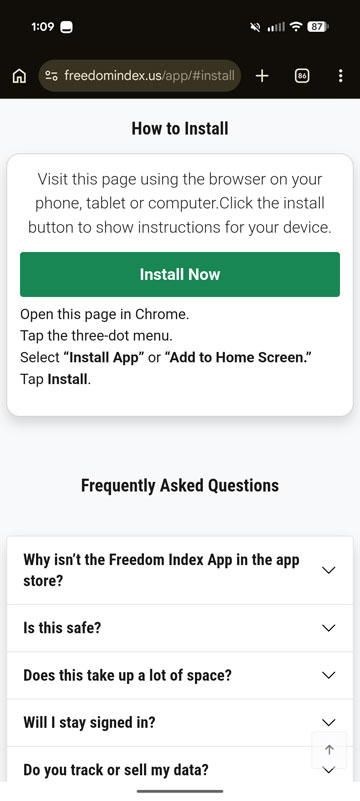
Open the App install page in Chrome on your Android device.
1. Tap Install Now (green button)
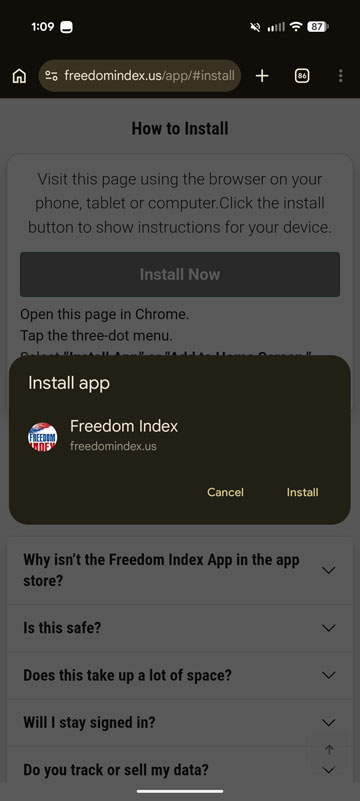
2. Tap Install.
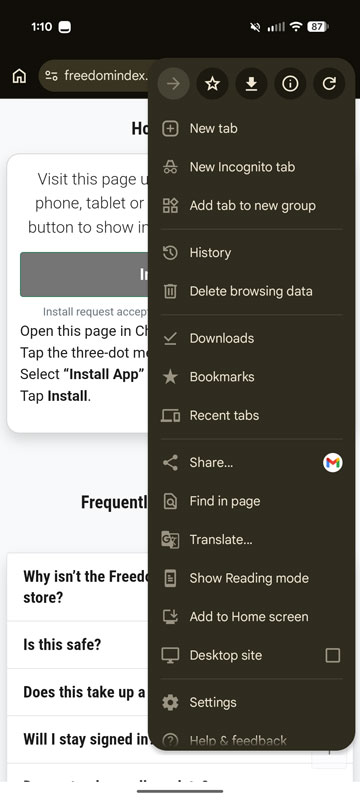
3. Tap the Dot Menu icon (top right). Then tap Add to Home Screen.
Open the App install page in Chrome on your Android device.
1. Tap Install Now (green button)
2. Tap Install.
3. Tap the Dot Menu icon (top right). Then tap Add to Home Screen.

Install for faster access, or learn how this app experience works.