Freedom Index Knowledge Base
How to install on iPhone/iPad
Open the App install page in Safari on your iOS device.
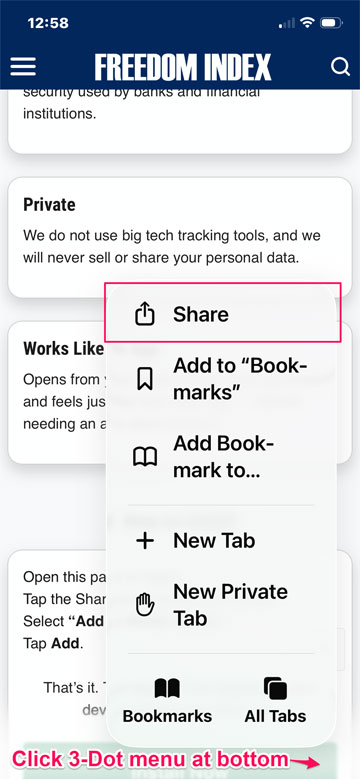
1. Tap the three-dot menu at the bottom right. Tap the Share icon (square with arrow).
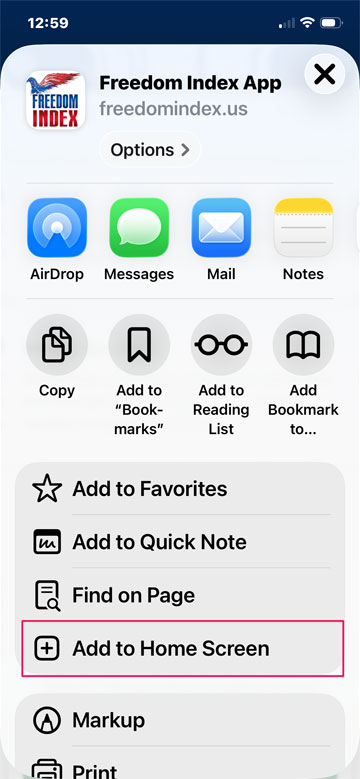
2. Swipe up and select Add to Home Screen.
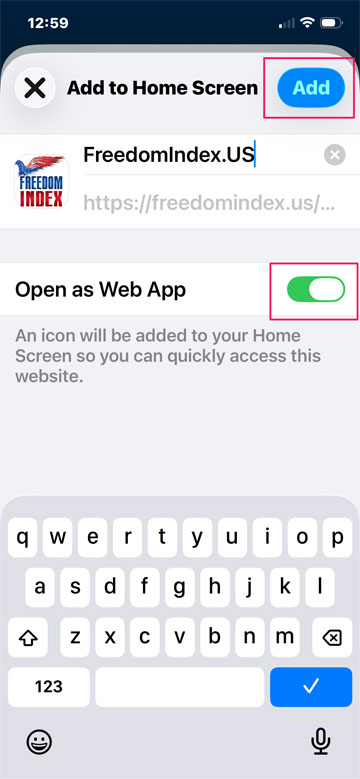
3. Tap Add. Make sure “Open as Web App” is checked.